Guide · Troubleshooting
Safe Lockout Mode: How Long It Lasts and What Not to Do
Short answer
Safe lockout mode is a timed penalty an electronic lock imposes after several wrong codes in a row, usually four. On the common locks we checked it lasts from about 4 to 15 minutes, depending on the model, and the keypad ignores even the correct code until it ends. Leave the battery in, stop pressing keys, wait out the full time, then enter the correct code once, carefully.
- Most electronic safe locks lock out after four wrong codes in a row. Some SentrySafe models do it after three, and the S&G Titan after five.
- Penalty times on common locks run from about 4 to 15 minutes, and they vary by model and even by production revision.
- Pulling the battery does not clear a lockout on the locks we checked. It pauses the timer or does nothing.
- After a lockout ends, some locks start another full penalty after only two more wrong codes.
- If the correct code still fails after a full wait, the lockout is not the problem. Stop and get help.
Locked out right now?Call or text Yossi, 24/7. A photo of the safe gets you a quote.
You tried a few codes that did not work, and now the keypad will not take anything at all. That is almost certainly lockout mode, and the fix is the hardest one: leave it alone.
What is lockout mode?
It is a deliberate security feature. After a set number of wrong codes in a row, the lock refuses all input for a fixed time, so nobody can stand at the safe working through numbers. Sargent & Greenleaf describes it as a feature to prevent tampering, and AmSec says it is there to stop trial-and-error attempts at opening the lock.
During a lockout, many keypads still beep or flash when you press a key, but they ignore the entry, the correct code included. To the owner, that looks exactly like a dead battery or a broken lock. It is neither, and pressing more keys does not help.
How long does lockout mode last?
It depends on the lock, not the safe. The safe brand and the lock brand are often different, so look at the keypad face for the lock maker’s name (S&G, SecuRam, La Gard, AmSec) or check your manual. Here is what the manufacturers say about common locks:
- SecuRam SafeLogic TopLit and BackLit (used on Liberty and other gun safes): four wrong codes stop the lock for up to 5 minutes. Liberty says the BackLit beeps every 5 seconds during the penalty, and that after it expires, two more wrong codes start another 5-minute penalty.
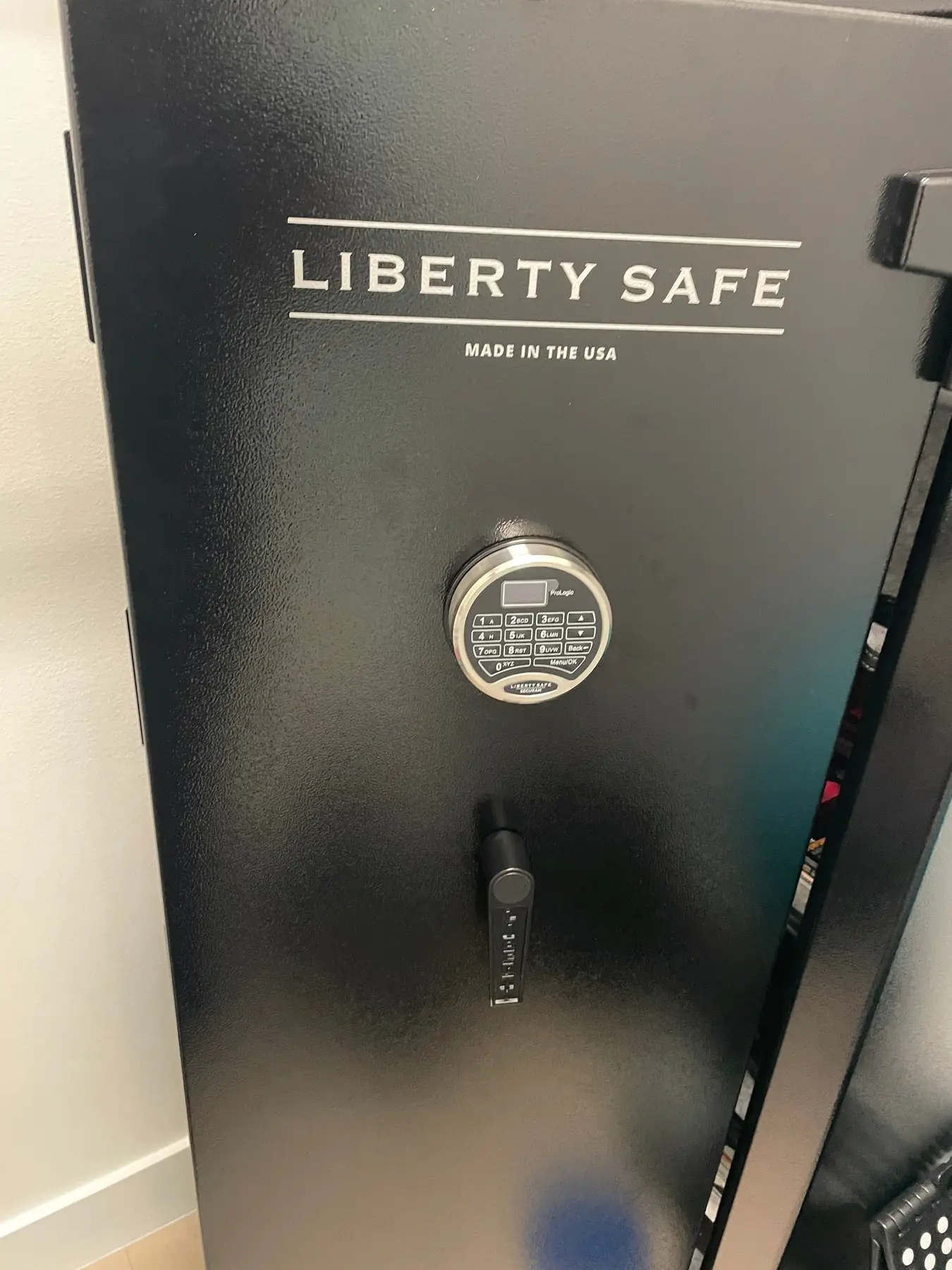
- SecuRam ProLogic L01: four wrong codes start a 4-minute penalty, with the time left shown on the screen. Two more wrong codes afterwards start another 4 minutes, and a valid code will not end the delay early.
- SecuRam Xtreme: four wrong codes start a 5-minute penalty, according to Liberty.
- AmSec ESL10XL: four wrong codes start a 15-minute penalty. The red LED flashes once every 5 seconds, and the lock beeps and flashes once when the time is up.
- S&G 6120: the 1996 revision of S&G’s troubleshooting guide says 15 minutes after four wrong codes, while S&G’s support FAQ says 5 minutes. The two S&G documents disagree, which is exactly why you should check the instructions for your own lock and not trust a single number you read online.
- S&G Titan: S&G says five or more wrong codes in a row shut it down for 10 minutes.
- La Gard 3000, 3035 and 3125 keypads: dormakaba says four wrong codes start a 5-minute delay with the LED flashing red every 10 seconds, and two more wrong codes after it ends restart the delay.
- SentrySafe residential and hotel safe: three wrong codes put the display on HOLD, and SentrySafe says to wait 5 minutes.
If your lock is not on this list and you have no manual, assume 15 minutes and add a few more to be safe.
What not to do during a lockout
- Do not keep entering codes. On most locks the keypress itself is ignored, but completing more wrong codes right after the penalty ends can start a new one.
- Do not pull the battery. On SecuRam locks, Liberty says removing the battery just pauses the penalty, and it picks up where it left off when the battery goes back in. AmSec says removing power does not reset the ESL10XL’s penalty either.
- Do not force the handle. A lock in penalty is still locked, and forcing the handle risks the bolt work and the relockers.
- Do not start guessing once it ends. If you are not sure of the code, two more wrong guesses can put you straight back where you were.
What to do when the lockout ends
- Wait the full time for your lock, plus a margin. If you do not know the time, wait at least 15 minutes.
- If the battery might be low, change it now that the timer has finished.
- Put the handle in the position your manual gives for entering a code.
- Enter the correct code once, slowly, with any start or end key your lock needs.
- Turn the handle promptly. Electronic locks stay open for only a few seconds.
If the code you are sure of still fails after a full wait and a fresh battery, the lockout was not the real problem. Read a safe keypad that beeps but will not open for the other causes, and stop entering codes.
What if the code is the real problem?
If you are not sure of the code, more attempts will only keep the lock in penalty. Go through the options in forgot your safe combination?, which include other users’ codes and the manufacturer’s records.
When none of that works, Yossi can open the safe on-site, starting with the least invasive method that fits the lock. Afterwards a new code is set and you test it with the door open. If the keypad itself is failing, the fix is usually a replacement keypad or electronic lock. Call or text (305) 814-3344, any hour, with a photo of the keypad.
Tried all that and still stuck?Call or text Yossi, 24/7. A photo of the safe gets you a quote.
Common follow-up questions
How do I know if my safe is in lockout or the battery is dead?
A lockout usually announces itself. The AmSec ESL10XL flashes its red LED once every 5 seconds, La Gard 3000-series keypads flash red every 10 seconds, SecuRam BackLit and Xtreme keypads on Liberty safes beep every 5 seconds, a ProLogic screen shows a countdown, and the SentrySafe safe we checked shows HOLD on its display. If you cannot tell, leave it alone for at least 15 minutes, which covers the longest penalty listed here, then put in a fresh battery and try once.
Does pressing keys during the lockout make it longer?
Not on the locks we checked, as long as you do not complete more wrong codes. Liberty's manual says pushing buttons on its ProLogic keypad during the penalty does not restart it, and the AmSec ESL10XL simply ignores input. The danger comes after the timer ends, when some locks restart a full penalty after two more wrong codes. The safest thing is not to touch it.
Can a locksmith cancel the lockout?
There is rarely a reason to. Waiting it out is the quickest way past a penalty. Some commercial locks have manager-level functions described in their manuals for the person who holds that code. A technician is needed when the code itself is lost or the lock has failed, not to shorten a penalty.
My business safe beeps and waits even with the right code. Is that lockout?
Probably not. Many commercial locks have a programmed time delay, a separate security feature that makes everyone wait a set time after entering a valid code, then opens a short window for a second entry. S&G's troubleshooting guide for its 6120 and 6121 locks, for example, says three beeps after a code means the lock is in time delay mode and you need to wait for it to expire. Check the lock's instructions or ask whoever manages the safe.
Sources
- Liberty Safe Owner Use and Care Manual (Rev. 3.1.18)
- How to Troubleshoot SecuRam BackLit Electronic Lock (Liberty Safe)
- How to Operate SecuRam Xtreme, Troubleshooting and Penalty Time (Liberty Safe)
- ESL10XL Electronic Lock Operating Instructions (American Security Products Co.)
- Model 6120, 6121 Motorized Electronic Combination Locks Troubleshooting Guide (Sargent & Greenleaf, hosted by Liberty Safe)
- Sargent & Greenleaf support FAQ
- Titan PivotBolt electronic lock (Sargent & Greenleaf)
- WRONG TRY PENALTY in LA GARD 3000/3035 Electronic Entry Device (dormakaba)
- SentrySafe Residential/Hotel Security Safe Owner's Manual
General information, not legal or insurance advice. Lock behavior varies by model, so check the manual for yours.