Guide · Troubleshooting
Safe Keypad Beeps but Won't Open: What to Check First
Short answer
When a safe keypad beeps or lights up but will not open, the most common cause is a weak battery: enough power to beep, not to move the lock bolt. Fit a fresh battery of the type your manual names, set the handle so the bolt work is not pressing on the lock, and enter the code once. If it still will not open, stop before triggering a wrong-code lockout.
- A keypad can beep and light up on a battery that no longer has the power to move the lock bolt.
- Use a fresh, name-brand alkaline battery of the type your lock takes. S&G, Liberty and AmSec all specify alkaline.
- Set the handle so the safe's bolt work is not pressing on the lock before you enter the code.
- Several wrong codes in a row put most electronic locks into a timed penalty lockout, so make each attempt count.
- If a new battery and the right handle position do not work, stop. Prying or forcing the handle can fire a relocker.
Locked out right now?Call or text Yossi, 24/7. A photo of the safe gets you a quote.
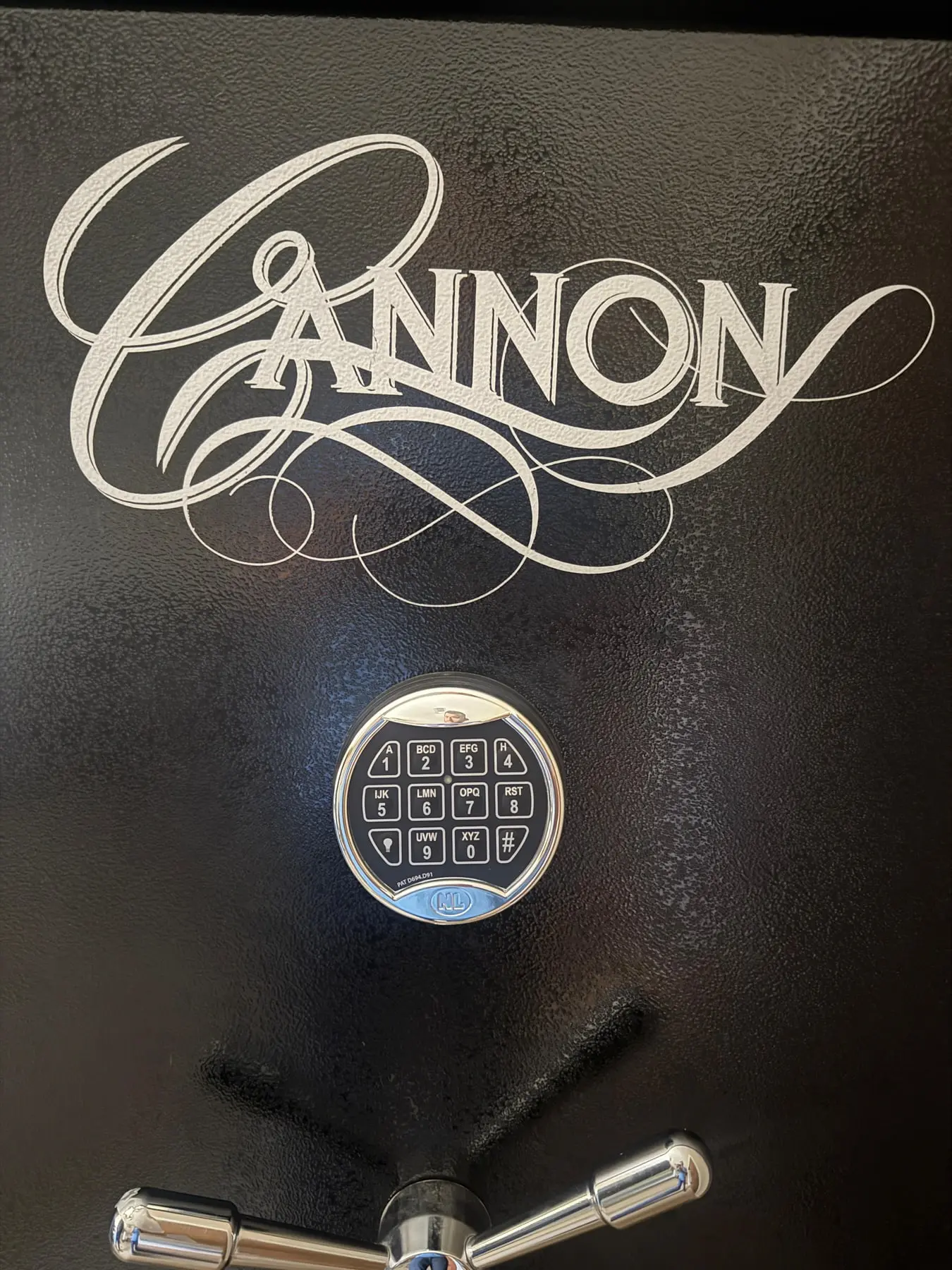
A keypad that beeps and flashes is telling you two things. The lock has some power, and it is reading your key presses. What it may not have is enough power to finish the job. Work through the checks below in order, and know where to stop.
Why does a safe keypad beep but not open?
The most common cause is a weak battery. Lighting an LED and sounding a beeper takes very little current. Pulling back the lock bolt takes a motor or a solenoid, and much more. A tired battery can manage the first and not the second. Liberty’s owner’s manual says it plainly: a weak battery may cause the lock not to open even though it beeps. AmSec’s instructions for its ESL10XL lock call weak or dead batteries the most common cause of opening problems, and warn that a battery can test fine and still be unable to supply the current the lock needs.
The next most common cause is bolt pressure. The safe’s bolt work (the big bolts the handle moves) leans on the small bolt of the lock, and the lock cannot pull it back. After that come the simple ones, a mistyped code or a lock already sitting in penalty lockout, and then real failures: a damaged keypad, a broken wire, or a lock that has worn out.
Step 1: Fit a fresh battery
Use a new, name-brand battery of the type your lock takes, and not one from the kitchen drawer. Most gun safe and commercial keypads run on one or two 9-volt alkalines that you reach from outside the door, so a locked safe does not stop you. Some small home safes keep AA cells inside the door and give you a backup way to power the lock.
The battery guide has the specifics by lock: how to change a safe keypad battery covers which type each common keypad takes, where the compartment is and how each lock signals a low battery.
Do not wait for a warning before you try this. Some locks chirp or flash when the battery is fading. Others give no sign at all until the day they will not open.
Step 2: Take the pressure off the lock bolt
Before you enter the code, put the handle where your manual says. Liberty tells owners of its SecuRam-equipped safes to center the handle between its left and right stops, and its troubleshooting section says to move the handle to the fully locked position to relieve side pressure. AmSec says to turn the handle all the way in the locking direction, or to the middle of its travel if you do not remember which way it opens.
Something inside the safe can cause the same problem. A rifle barrel resting against the door, a shelf that has slipped forward or an overstuffed door organizer can load the bolt work. If you have a handle that will not turn even after the lock beeps open, that guide covers it in detail.
Step 3: Enter the code once, carefully
Liberty recommends touching the body of the safe before you use the keypad, to discharge static that can damage the lock. Then enter the code slowly. Some locks need a key before or after the digits: the S&G 6120 needs the pound key after the code, and the ESL10XL starts with the C key. If you hit a wrong digit, clear the entry and start over rather than finishing a code you know is wrong.
When the lock opens, turn the handle promptly. The window is short: Liberty gives 6 seconds on its SecuRam locks, and AmSec gives 3 seconds on the ESL10XL. After that the lock relocks and you have to enter the code again.
Why you should stop after a few tries
Wrong codes add up. Most of the locks we checked shut down after four wrong entries in a row, for anywhere from about 4 to 15 minutes depending on the model. During that time the keypad may still beep and flash while ignoring everything, including the right code. That looks exactly like a dead battery, so people keep pressing and make it worse. See safe lockout mode for the times on common locks.
Taking the battery out does not clear a penalty on the locks we checked, so leave it in and let the clock run.
When to stop and call
Stop trying things if:
- A fresh battery of the right type, the right handle position and a careful code entry still do nothing.
- You hear the lock click or its motor run, but the handle stops in the same place every time.
- The keypad stays dark with a new battery, or it is loose or hanging by its wire.
- The battery contacts are green or crusted. Salt air does that, and safe care in South Florida explains how to slow it down.
At that point the problem is inside the door. Prying, hammering or drilling it yourself can fire a relocker, a device built to lock the bolt work in place when the safe is attacked, and that turns a simple job into a long one.
Yossi diagnoses the lock on-site and starts with the least invasive way in. Many keypad failures are opened without drilling. Once the door is open, the failed part is replaced, often with a new keypad or electronic lock, and you test it yourself with the door open. Text a photo of the keypad to (305) 814-3344 or send it through the quote form.
Tried all that and still stuck?Call or text Yossi, 24/7. A photo of the safe gets you a quote.
Common follow-up questions
Will my safe lose the code if the battery dies?
Usually not. Electronic safe locks store the code in memory that does not rely on the battery, and both Sargent & Greenleaf and Liberty say so about theirs. Fit the new battery and use the code you have always used. If the lock is a make you cannot identify, test the code with the door open once you are back in.
The keypad accepts my code and I hear a click, but the handle stops. Is that the battery?
Probably not. A click or a short motor sound means the lock got the code and tried to release. If the handle then stops in the same place every time, something is holding the bolt work: pressure on the lock bolt, something inside leaning on the door, or a mechanical fault. Set the handle as your manual describes and try once more. If nothing changes, leave the handle alone and call.
I put in a new battery and it still beeps but won't open. What now?
Check the handle position, make sure the battery is the type your manual names and the clip is snapped on firmly, and make one careful attempt with the code. If that fails, stop entering codes. The fault is now more likely the keypad, its cable, the lock itself or bolt work binding inside the door, and none of those are fixed from the outside. Call or text (305) 814-3344 with a photo of the keypad.
The keypad beeps on every key but ignores the right code. Why?
Two things look like that. One is a weak battery. The other is a penalty lockout from earlier wrong attempts, during which many keypads still beep while refusing every code, the correct one included. If you have entered several wrong codes, stop pressing keys and wait at least 15 minutes before one careful try. If you have not, change the battery first.
Sources
- Model 6120, 6121 Motorized Electronic Combination Locks Troubleshooting Guide (Sargent & Greenleaf, hosted by Liberty Safe)
- Sargent & Greenleaf support FAQ
- Liberty Safe Owner Use and Care Manual (Rev. 3.1.18)
- ESL10XL Electronic Lock Operating Instructions (American Security Products Co.)
- How to Change Battery in SecuRam BackLit Electronic Lock (Liberty Safe)
General information, not legal or insurance advice. Lock behavior varies by model, so check the manual for yours.